 Aion 2
 Ananta
 Diablo 5
 Grand Theft Auto 6
 Path of Exile 2
 Phantom Blade Zero
 Valheim
 Witcher 3: Wild Hunt – Remastered
 World of Warcraft: Forever
 Zelda: Ocarina of Time – Remake
 All vikis
Difficulty and Accessibility
Crimson Desert has had Easy, Normal and Hard difficulty settings since update 1.04.00 (Apr 23, 2026), changeable at any time in Settings > Play; at launch it had one difficulty, today's Normal. The same update added Colorblind Mode, Photosensitive Mode and control presets, and later patches added full controller remapping, a minimum font size, a HUD hide option and lock-on camera choices.
Crimson Desert has three difficulty settings, Easy, Normal and Hard, added in update 1.04.00 on Apr 23, 2026 and changed at any time in Settings > Play; before that the game had a single difficulty, which Pearl Abyss kept as Normal ("the difficulty you have been playing so far"). The settings matter most in boss fights like the one in Pearl Abyss's Staglord video (Aug 21, 2024, the gamescom 2024 demo build): a one-on-one duel in snowy ruins against an antlered knight in a red cape, with Kliff blocking on his round shield, rolling clear and trading blows. Easy widens the parry and dodge windows for exactly this kind of fight; Hard narrows them and adds attack patterns to some bosses. The same update began a run of accessibility options, from Colorblind Mode to full controller remapping, listed below with the version that added each.
Quick facts
| Difficulty levels | Easy, Normal, Hard |
| Added | Update 1.04.00, Apr 23, 2026 |
| Where | Settings > Play |
| At launch | One difficulty (today's Normal) |
| Accessibility menu | Colorblind Mode, Photosensitive Mode, Chromatic Aberration, Minimum Font Size, camera options |
| Controls | Keyboard and controller presets including "Classic Preset" (1.04.00); full controller remapping (1.09.00) |
| Subtitles | Size up to "Max" (1.04.00); 15 interface and subtitle languages on Steam, Oct 21, 2026 |
What each difficulty changes
Pearl Abyss's notes for 1.04.00 (notice 84) list the changes. Easy reduces the damage the player takes; reduces enemies' maximum health, aggressiveness and overall speed; extends the timing windows for parry and dodge; and makes bosses try to counterattack or escape less often when hit. Normal is unchanged from launch. Hard turns all of that the other way: more damage taken, enemies with more health who are more aggressive and faster, shorter parry and dodge windows, a shorter invincibility window on the roll, bosses that counter or escape more often, and extra combat patterns for certain bosses. Hard also changes healing: food takes effect only after the eating animation finishes, not the moment it is used.
The notes do not tie the difficulty to rewards, achievements or a lock, and the setting sits in the ordinary Settings menu, so it can be raised for a boss and lowered again. For players who want harder fights later in a save, 1.05.00 (May 2, 2026) added Boss Rematch, which can scale a defeated boss up to the player's stats ("Resonate").
How hard is Crimson Desert?
Crimson Desert's open world is forgiving, but its bosses were the main complaint at launch. Pearl Abyss's Reed Devil video (Aug 21, 2024, the gamescom 2024 demo build) shows why: in a field of tall grass Kliff fights a masked figure and its attacks, and the edges of the screen keep turning red as his health runs low. Pearl Abyss adjusted the Reed Devil fight in its first patch (1.00.02, Mar 19, 2026), and 1.00.03 (Mar 23) eased the ambushes on the way to it, reduced the health of certain early enemies and main quest bosses, lowered blocking's stamina cost and made a successful parry fill a boss's stun gauge faster.
TheGamer's reviewer, who spent 150 hours on the story, found many boss fights "unfair" rather than hard, singling out the Staglord and the final chapter. Game Rant's Josh Cotts (Mar 21, 2026) argues the game "isn't a Soulslike" and is hardest for players who take on main story bosses too early, or who spam dodge, since dodges do not make Kliff invincible; he advises blocking and parrying instead. Pearl Abyss kept tuning bosses after Easy arrived: 1.04.00 also ended bosses' immunity to attacks while they perform powerful moves, and 2.00.00 (Aug 25, 2026) split the Golden Star fight into phases. Every boss is on Bosses.
Where you go matters as much as the setting. Digital Foundry's PS5 Pro deep dive (Mar 12, 2026) reached one battle "before my character was ready and would die instantly if hit", and spent it running from a swarm of enemies. Since Crimson Desert has no levels, the fix is more Abyss Artifacts and better gear (see Beginner's Guide).
Some bosses fill the screen with attacks. In Pearl Abyss's Hexe Marie video (Dec 5, 2024) the witch fights in a walled yard full of crows and dark magic, and the red low-health border keeps returning as Kliff dodges through it. Pearl Abyss also made some fights easier to retry: since 1.00.02 the Tenebrum battle in Chapter 4 no longer replays its puzzle after a death.
Controls: presets, remapping and the launch apology
Controls drew more complaints than difficulty at launch. Kotaku's review round-up (Mar 18, 2026) found critics praising the world and combat but criticizing controls, menus and the inventory, and on Mar 21, 2026, about 36 hours after release, Pearl Abyss wrote: "We also want to apologize for not providing keyboard and mouse players with a satisfactory gameplay experience" (notice 71). The fixes came in this order:
| 1.00.03 (Mar 23, 2026) | Faster movement and menu response; keyboard shortcuts I (Inventory), K (Skills), J (Journal), M (Map); mouse side buttons for Guard/Aim and Evade |
| 1.02.00 (Apr 4) | "Movement Controls": Basic (hold sprint) or Classic (tap sprint repeatedly) |
| 1.03.00 (Apr 11) | Weapon Display options; Fast Forward Speed up to 4x |
| 1.04.00 (Apr 23) | Presets for keyboard and controller, with the original as "Classic Preset"; "Evasion Control" (double press or hold) and "Switch Roll and Evasion Input"; wider key binding on keyboard |
| 1.06.00 (May 11) | Display Sheath; Night Tone Mode |
| 1.08.00 (May 22) | Shortcuts for Inventory, Map, Skills, Journal, Photo Mode and Menu freely assignable |
| 1.09.00 (May 29) | Full controller remapping |
| 1.13.00 (Jul 3) | "Hide Minimap and Status" (Settings > Others > Gameplay) |
| 1.18.00 (Aug 15) | Lock-on Camera Rotation: Manual, Semi-auto or Auto |
| 2.00.00 (Aug 25) | "Flying Mount Controls": Camera or Manual |
Accessibility options
The Accessibility menu grew from 1.03.00. That patch added a Minimum Font Size option under Others > Accessibility, plus Camera Visual Range, Camera Vertical and Horizontal Offset, Camera Auto-follow and Camera Lookahead. Patch 1.04.00 added Colorblind Mode, Photosensitive Mode and a Chromatic Aberration toggle under Settings > Accessibility, and a "Max" subtitle size. Since 1.12.00 (Jun 19, 2026) the game asks for a minimum font size the first time it starts, and a 2.01.00 fix lets one click change the value. Night Tone Mode (1.06.00) softens colors and brightens dark, shaded areas.
Quick-time events were made gentler too: 1.00.02 made the struggle when an enemy grabs Kliff start easy and grow harder with each capture, and 1.00.03 lowered the difficulty of the Arm Wrestling minigame and of escaping when pinned. The game's languages are on Steam's store page: interface and subtitles in 15 languages and full audio in eight since the Enhanced update of Aug 25, 2026 (see Crimson Desert Enhanced).
Pearl Abyss has not published a full list of accessibility features as of Oct 21, 2026; the options above are the ones its patch notes name. Every change by version is on Patch Notes; how fights work is on Combat.
Frequently asked questions
Is Crimson Desert hard? Crimson Desert's bosses can be punishing, but since update 1.04.00 (Apr 23, 2026) players can pick Easy, which reduces damage taken, weakens and slows enemies and widens the parry and dodge windows, or Hard for the opposite.
Can you change difficulty mid-game in Crimson Desert? Yes. Crimson Desert's difficulty is in Settings > Play and can be changed at any time; Pearl Abyss's notes attach no lock or reward to it.
Is there an easy mode in Crimson Desert? Yes. Crimson Desert has had an Easy difficulty since update 1.04.00 (Apr 23, 2026): the player takes less damage, enemies have less health and are slower and less aggressive, and parry and dodge windows are wider.
What does Hard mode change in Crimson Desert? Crimson Desert's Hard difficulty raises the damage the player takes and enemies' health, speed and aggression, shortens parry and dodge windows and roll invincibility, adds attack patterns to certain bosses, and applies food only after the eating animation ends.
Does Crimson Desert have a colorblind mode? Yes. Crimson Desert added a Colorblind Mode in Settings > Accessibility with update 1.04.00 (Apr 23, 2026), alongside Photosensitive Mode and a Chromatic Aberration toggle.
Can you remap controls in Crimson Desert? Yes. Crimson Desert has keyboard and controller presets since update 1.04.00 (including the original "Classic Preset") and full controller remapping since update 1.09.00 (May 29, 2026).
Did Crimson Desert have difficulty settings at launch? No. Crimson Desert launched on Mar 19, 2026 with one difficulty; Easy and Hard were added beside it, as Normal, in update 1.04.00 on Apr 23, 2026.
Sources
- A Message to Our Players, Pearl Abyss, Mar 21, 2026
- Patch Notes Version 1.00.02, Pearl Abyss, Mar 19, 2026
- Patch Notes Version 1.00.03, Pearl Abyss, Mar 23, 2026
- Patch Notes Version 1.02.00, Pearl Abyss, Apr 4, 2026
- Patch Notes Version 1.03.00, Pearl Abyss, Apr 11, 2026
- Patch Notes Version 1.04.00, Pearl Abyss, Apr 23, 2026
- Patch Notes Version 1.05.00, Pearl Abyss, May 2, 2026
- Patch Notes Version 1.06.00, Pearl Abyss, May 11, 2026
- Patch Notes Version 1.08.00, Pearl Abyss, May 22, 2026
- Patch Notes Version 1.09.00, Pearl Abyss, May 29, 2026
- Patch Notes Version 1.12.00, Pearl Abyss, Jun 19, 2026
- Patch Notes Version 1.13.00, Pearl Abyss, Jul 3, 2026
- Patch Notes Version 1.18.00, Pearl Abyss, Aug 15, 2026
- Patch Notes Version 2.00.00, Pearl Abyss, Aug 25, 2026
- Patch Notes Version 2.01.00, Pearl Abyss, Sep 4, 2026
- Crimson Desert, Steam store, Pearl Abyss, read Oct 21, 2026
- Crimson Desert review, TheGamer, Mar 18, 2026
- Crimson Desert isn't a Soulslike, Game Rant, Mar 21, 2026
- Crimson Desert Metacritic scores review roundup, Kotaku, Mar 18, 2026
- Staglord Boss Battle Gameplay, gamescom 2024, Crimson Desert, Aug 21, 2024 (video)
- Reed Devil Boss Battle Gameplay, gamescom 2024, Crimson Desert, Aug 21, 2024 (video)
- Hexe Marie Boss Battle Gameplay, Crimson Desert, Dec 5, 2024 (video)
- Crimson Desert on PlayStation 5 Pro - The Digital Foundry Deep Dive, Digital Foundry, Mar 12, 2026 (video)
Moments
Crimson Desert - Staglord Boss Battle Gameplay | gamescom 2024
Crimson Desert
Crimson Desert - Reed Devil Boss Battle Gameplay | gamescom 2024
Crimson Desert
Crimson Desert on PlayStation 5 Pro - The Digital Foundry Deep Dive
Digital Foundry
Hexe Marie Boss Battle Gameplay | Crimson Desert
Crimson Desert
Related
-
-
-
-
 Reception and AwardsCrimson Desert drew mixed to positive reviews, with a Metacritic score of 77 on PC and an OpenCritic Top Critic Average of 78 (read Oct 20, 2026); critics praised its open world and combat and faulted its story and controls, while Steam players rate it Very Positive, about 84% positive. It is nominated for PC Game of the Year and Best Soundtrack at the Golden Joystick Awards 2026.
-
 Sales and Player CountCrimson Desert sold 2 million copies on launch day and 6 million by Jun 11, 2026, Pearl Abyss's latest total, and peaked at 276,261 concurrent Steam players on Mar 29, 2026, SteamDB's measured all-time peak. SteamDB counted a peak of 28,918 players in the 30 days before Oct 21, 2026.
-
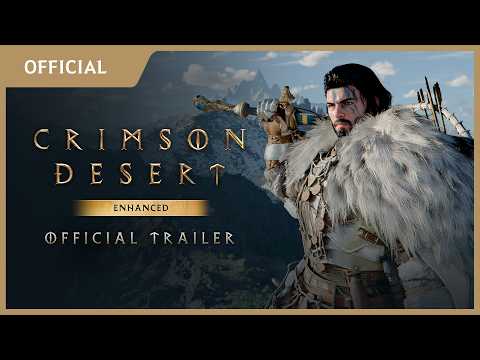
 TrailersCrimson Desert's newest trailer is the Charting the Unknown DLC reveal of Sep 3, 2026, shown at Sony's State of Play; before it came the Crimson Desert Enhanced trailer (Aug 25, 2026) and the Official Launch Trailer (Mar 12, 2026). Pearl Abyss has released trailers and gameplay videos since the game's reveal in November 2019.
-
-
See also
-
-
Boss RematchBoss Rematch, added in update 1.05.00 on May 2, 2026, lets you refight a defeated Crimson Desert boss by lighting your lantern at the site of the fight and reading its Memory Fragment, in Reminisce mode (the boss as first met) or Resonate mode (its stats raised to yours); consumables are restored and no loot drops.
-
-
-
-
Crimson Desert EnhancedCrimson Desert Enhanced is the free 2.00.00 update of Aug 25, 2026 that every Crimson Desert owner gets on every platform, adding new cutscenes and story moments, voice-over in German, French, Spanish, Brazilian Portuguese and Japanese, Arabic text and every earlier update. It is not a remaster or a paid version; the stores now sell the game under that name.